Chat with your books
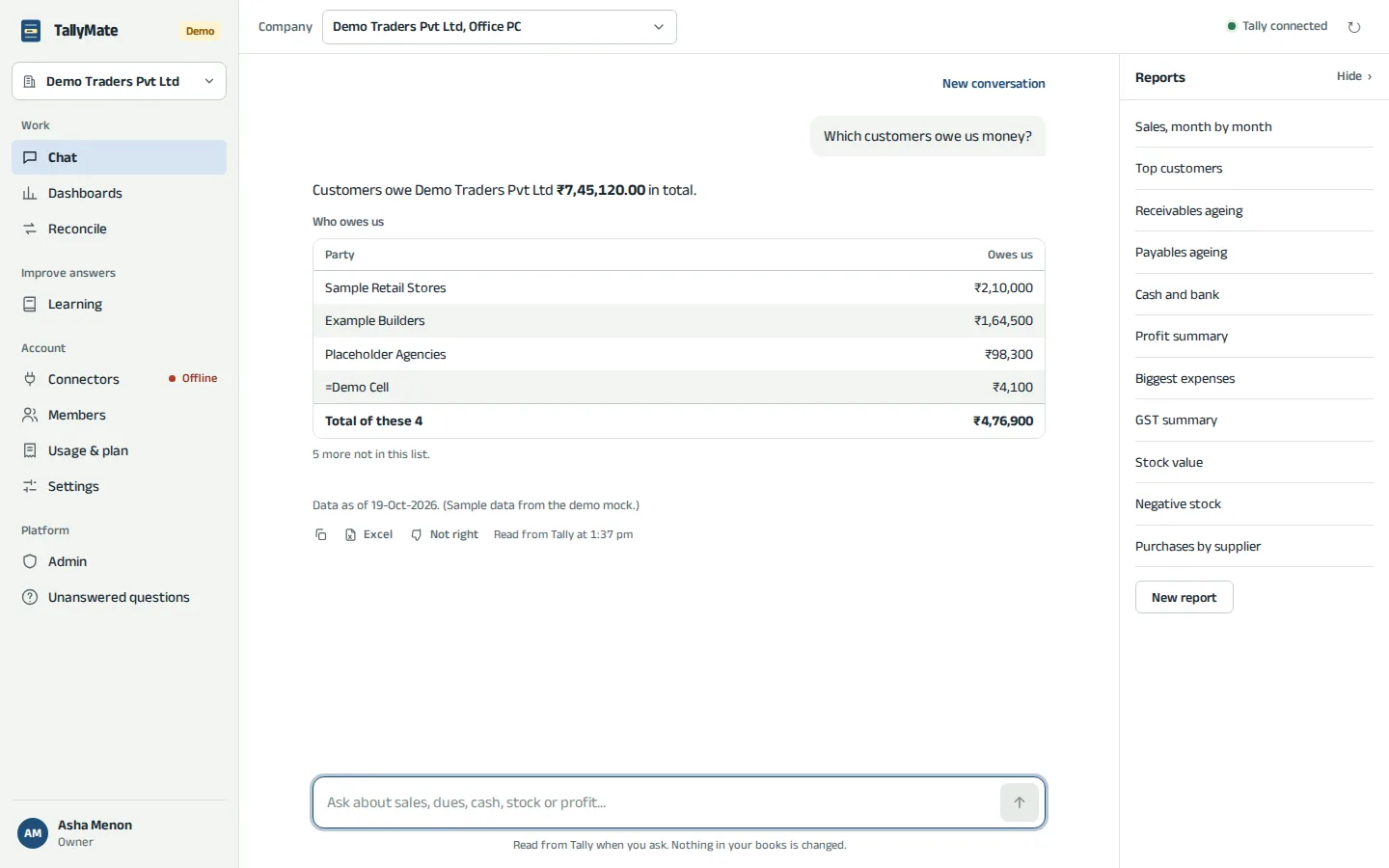
Ask anything about your accounts. The answer comes with the figures it was written from, and the working is shown.

TallyMate reads your TallyPrime books and answers in plain words: what you sold this month, who owes you and for how long, where cash went. Type it the way you would ask your accountant, in English or the Manglish and Hinglish you actually type. Every figure is computed by code from your own books and checked before you see it.
You
What it does
Ask anything about your accounts. The answer comes with the figures it was written from, and the working is shown.
Numbers come from your Tally books through tested code, never guessed by a model. Each one is checked against what Tally returned.
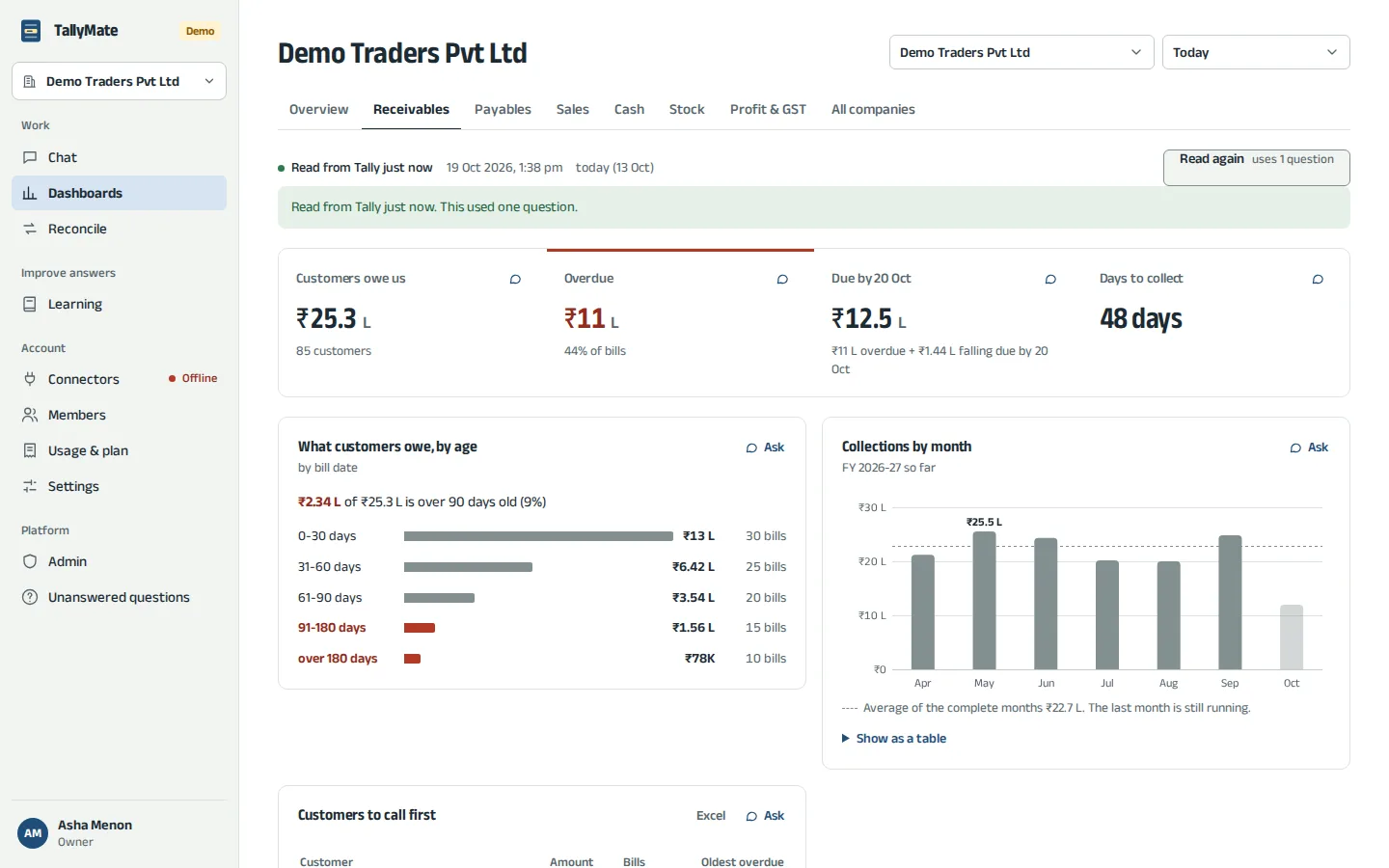
Today against yesterday, this month against last, receivables by age, cash in and out, stock, profit and GST.
Customers ranked by what they owe and how long the oldest bill has waited, with the bills behind each name.
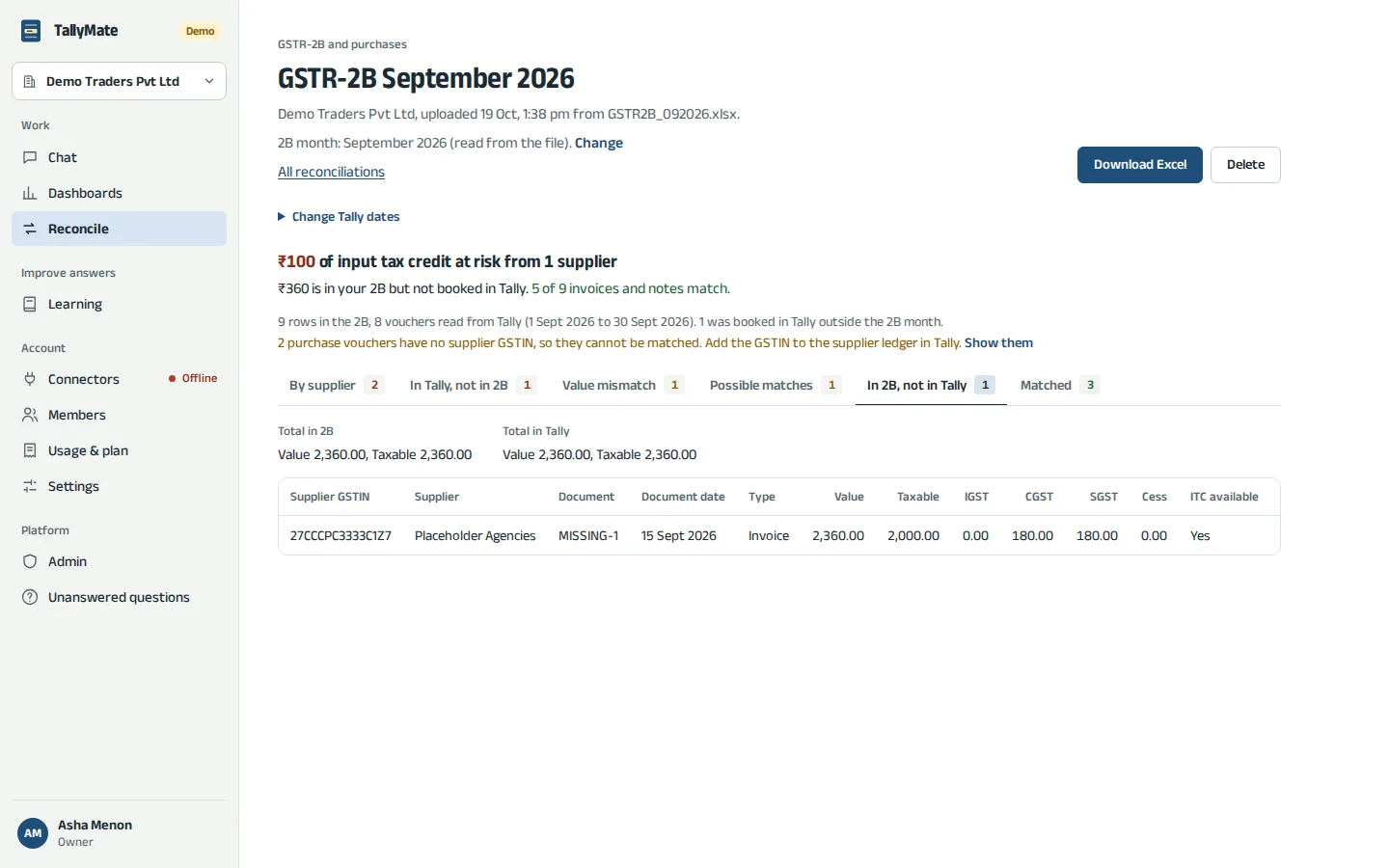
Upload the GSTR-2B or a bank statement. Every row is sorted into matched, mismatched and missing, with Excel to download.
Nothing is ever written to Tally. A small connector on the Tally PC runs fixed, read-only reports.
The screens
Questions
An assistant for TallyPrime. You ask questions about your books in plain words (sales this month, who owes you, cash in and out, GST) and it answers with the figures from your own Tally data, checked before you see them.
No. It only reads. The connector runs a fixed set of read-only reports, so nothing in your books can be created, edited or deleted through TallyMate.
A small connector runs on the Windows PC (or server) where TallyPrime runs. It reads Tally on that machine and connects out to TallyMate over HTTPS, so no port on your network has to be opened. On Tally Cloud, it runs as an add-on.
Every figure is computed by code from what Tally returned, and each number in an answer is checked against that data before it is shown. If an answer fails the check, you are shown the figures plainly instead.
₹999 a month plus GST, for 50 questions a day. Opening a dashboard is free; only a fresh read of your books counts as a question.
About five minutes: install the connector on the Tally PC and link it from your browser. During the pilot, we set up your TallyMate account for you.
Try the demo company on tallymate.live, or message us and we will set TallyMate up on your own Tally.